
Directory Submitter Free: How to Submit an AI Tool Yourself
Directory submitter free guide: how to pick directories, prepare listing data, submit by hand and track each result without paying for each submission.
By Free AI Directories Team · November 8, 2026

The most popular advice on this topic is to treat a directory submitter free of charge like a volume machine: fill every open form, copy the same blurb, and count the submissions. That advice confuses activity with a published listing. A finished form doesn't prove the page is live, indexed, or useful to anyone looking for an AI tool.
A stronger method treats each directory as a record you verify and track. You search for an existing entry, submit once with matching facts, save proof, and check the page later. The work below covers what a free submission can and can't deliver, how to build one product record, how to screen targets, how to submit by hand, how to fix rejections, and when paid help is the better use of time.
Table of Contents
- What Free Directory Submission Actually Delivers
- Build One Product Record Before You Submit
- Find Candidate Directories Worth Screening
- Screen Directories Before You Submit Anywhere
- How to Submit One Listing by Hand
- Common Rejections and How to Fix Them
- Track Every Listing, Link and Referral
- Choose Free Submission or Done-For-You Help
What Free Directory Submission Actually Delivers
A free listing is a small asset with a clear ceiling. It places your AI tool on a directory page with a name, URL, description, and category. If the page is approved and stays live, it can put the product in front of someone already browsing that category, send occasional referral visits, and repeat the same core facts across the web. It cannot promise approval, a ranking lift, traffic volume, or a mention inside an AI assistant.
The valuable part is the verified record behind the form. A useful listing has a final URL you can open, a category that matches the product, a submission date, proof of publication, and a later check that the page still resolves. A weak one leaves a stale duplicate, a redirect, or a description that no longer matches pricing.
Free submission costs time: accounts, forms, adapted copy, and waiting while each directory runs its own review.
Set three goals only: discovery inside the category, a measurable trickle of referrals, and clean entity data. Keep the target list small, save evidence for each page, and judge value by what stays indexed and accurate.
Build One Product Record Before You Submit
One typo in a description field can spread into a dozen listings before anyone notices. A single master record prevents that. Every form pulls the same name, URL and description, so the facts stay identical no matter what order a directory asks for them.
Save it as a shared document and date every change. If pricing or the URL shifts, update the record before the next form, not after a batch of mismatched listings.
Fields that keep listings consistent
| Field | What to Enter | Common Mistake |
|---|---|---|
| Product name | Exact brand spelling used everywhere | Mixing spacing or versions of the name across forms |
| Final URL | Live page that loads without redirects | Staging link or redirect chain |
| Short description | One sentence on the use case | Slogan with no function |
| Long description | Concrete features and who uses them | Keyword stuffing or copied marketing copy |
| Logo | Square file, 720 by 720 px recommended | Blurry, cropped or tiny file |
| Screenshots | Real product screens | Landing page hero images |
| Pricing model | Free, freemium or paid, stated plainly | Hidden access requirements |
| Categories | Narrowest accurate option | Choosing a broad label as the only category |
| Contact and social links | Working email and live profile links | Dead or personal-only accounts |
For a workable image benchmark, Google's profile photo guidance calls for JPG or PNG files between 10 KB and 5 MB, with a recommended resolution of 720 by 720 pixels and a minimum of 250 by 250. Google also asks that images be in focus, well lit, representative of reality and free of heavy filters. Few directories copy those numbers exactly, so keep originals at full resolution and export copies at whatever size or format each site demands.
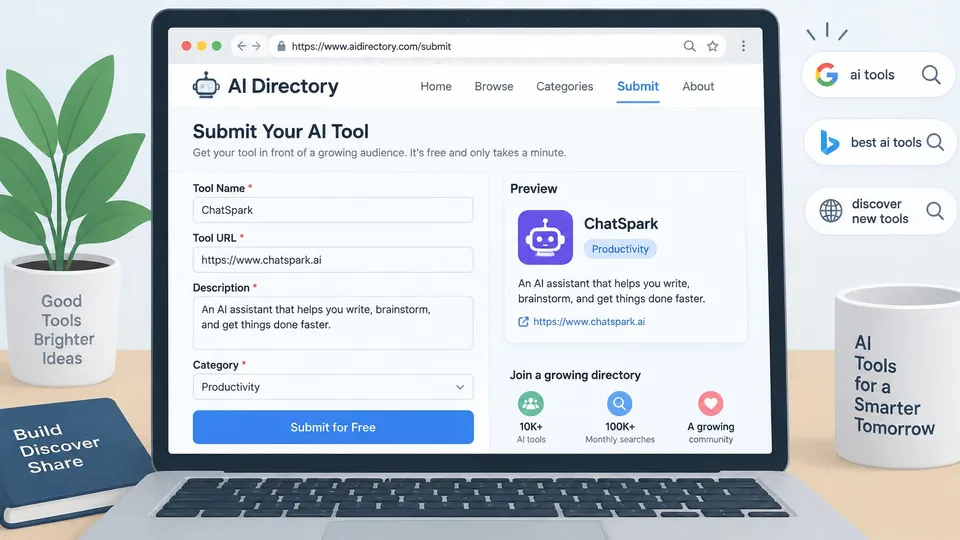
Done-for-you orders ask for the same core details. For a submission order, clients provide their name, email address, and tool details including tool name, website URL, description, logo, screenshots, and social profile links, and a submission service shares that information only with the directories where the tool is submitted. Writing those fields once, in plain language, is the hard part. The guide on how to write a listing is a useful check before you freeze the short and long descriptions.
Find Candidate Directories Worth Screening
Build the candidate list before you judge any site. Start with the Free AI Directories list at https://freeaidirectories.com, which is the place to check current data on each entry. Then add directories you find with searches that match the product, such as "AI writing tool directory," "SaaS directory submit," or "AI productivity tools listing."
For each candidate, record four facts in the same shared document as the product record.
- Name: the directory's own name, spelled as it appears on the site.
- URL: the homepage or the category page you would submit into.
- Categories: the labels it offers, not the ones you wish it had.
- Route: a form, an account, or a contact address.
Aim for 20 to 30 candidates so you can screen about ten and still keep a reserve. A high search rank, or a recommendation from a service, isn't proof the directory is worth a listing. Don't record cost, link type, or speed until you've confirmed them on the directory's own pages, and note the date you checked. Skip any site whose only route is an unlabeled offer of paid placements. For a separate look at how teams weigh manual outreach against fees, tech directory submission tips and costs from SubmitMySaas is a useful companion read.
Screen Directories Before You Submit Anywhere
Volume is the wrong measure. Relevance and verification beat a long list of half-checked forms. Google's spam policies identify low-quality directory links and automated link-creation services as link spam. Paid links meant to pass ranking credit should use rel="nofollow" or rel="sponsored". Treat a submission as a discovery, referral, and entity-consistency asset, not as a ranking shortcut.
The skip rule
Reject a target that exists mainly to sell links, accepts indiscriminate automated listings, shows no visible moderation, or offers no usable product taxonomy. A free directory isn't automatically good, and a paid one isn't automatically spam. Judge the signals on the page.
| Signal | Keep When | Skip When |
|---|---|---|
| Topical fit | Lists AI or software tools in clear categories | Accepts any product with no category |
| Moderation | Visible review step or stated rules | Listing appears instantly with no review |
| Duplicate rules | Clear policy on existing listings | Creates duplicates on request |
| Link attribute | Paid or sponsored links marked nofollow or sponsored | Unmarked links on a page that sells placements |
| Indexability | Listing pages are public and crawlable | Pages blocked or behind a login |
| Listing quality | Clean layout and real descriptions | Thin pages full of spam or unrelated links |
Screen a sample of about ten directories first. Submit only to those that pass. Don't assume an unmarked link passes ranking credit, especially on a page that sells placements.
Keep a skip list with the date and the failed signal, so a rejected target doesn't reappear in the next batch.
Approval, indexing, referral traffic, and any search effect are separate measurements. A completed form doesn't prove the listing is published or valuable.
How to Submit One Listing by Hand
Hand submission is slow on purpose. The first three checks stop the mistakes that waste a review cycle.
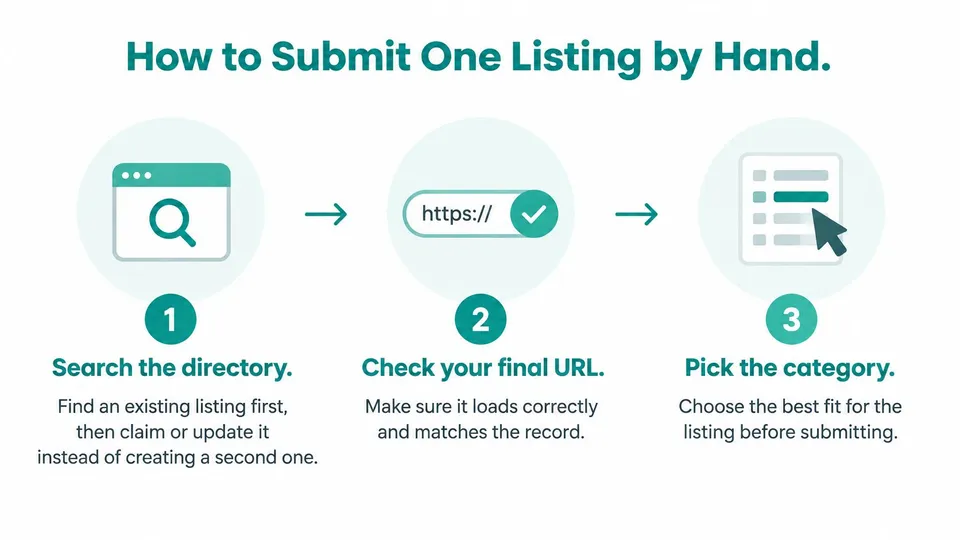
- Search the directory for an existing listing. Claim or update it instead of creating a second one. A duplicate splits reviews, logins, and later edits across two pages you then have to reconcile.
- Check that the final URL loads and matches the record. Open it in a private window. A staging host or a redirect chain sends reviewers, and later visitors, somewhere you didn't intend.
- Pick the narrowest accurate category from that directory's own list. Don't pick the label that sounds most popular. Google's Business Profile rules treat category as accuracy, not a keyword tactic: choose the fewest categories needed, make them as specific as possible, and don't use a category solely as a keyword. Google allows one primary category and up to nine additional ones, and it may reject edits that significantly change the business name or category. Map the product to each directory's taxonomy instead of pasting one generic label everywhere. Spend the most time here. A rushed form often lands in the wrong category, and a wrong category is a common cause of rejection.
- Paste the short and long descriptions. Adapt length and tone to the form, and keep product facts identical to the record. A shorter box isn't a reason to invent a new promise.
- Upload the logo and screenshots. Follow the file rules that directory states. If a file fails, re-export from the original rather than stretching a tiny image.
- State pricing and access requirements exactly as the record says. Hidden trials and login walls are why reviewers bounce a listing that otherwise looks complete.
- Submit, then save the confirmation page or a dated screenshot. The screenshot is the proof that you sent this version, on this date, to this URL.
After it goes live
Once the listing is public, the name, URL, and category should match the record. If an editor rewrote the description, decide whether the new wording is still accurate before you move on. Don't file a second submission to "fix" a live page you can edit.
Common Rejections and How to Fix Them
The rejection that shows up most often is a vague description. A slogan tells the moderator nothing about the job the tool does. Rewrite around the concrete use case and the people it serves, then resubmit that one corrected version.
| Symptom | Likely Cause | Fix |
|---|---|---|
| Listing rejected as vague | Generic slogan in the description | Rewrite with the use case and who it serves |
| Category rejected or moved | Category does not match the directory's taxonomy | Choose the closest category the directory lists |
| Logo or screenshot refused | File too small, blurry or in the wrong format | Re-export within the directory's file rules and resubmit once |
| Page not accessible | Login wall, redirect or broken URL | Fix the URL and make the page public |
| Duplicate warning | Listing already exists | Claim or update the existing entry instead of resubmitting |
| Still pending | Directory moderation queue | Wait for the directory's published timeline, then follow up once |
What each row means
A refused logo or screenshot is a file problem, so one clean re-export and one resubmission is enough. An unreachable page is on you: remove the login wall, kill the redirect, or repair the URL, then send the listing again.
A duplicate warning means the entry already exists. Claiming it is the fix. Sending the form again creates the mess the warning tried to prevent. A pending listing is still inside that directory's own review process, so wait for the timeline it publishes and follow up once if that date passes.
Don't answer a rejection with a stack of near-identical forms. Moderators can read repeats as spam.
Log the reason for every rejection in the shared document. After a few directories, the same cause tends to repeat, and that pattern is cheaper to fix in the record than on the next form. The guide on why submissions get rejected walks through those patterns in more detail.
Track Every Listing, Link and Referral
One row per directory is the whole system. Columns: directory name, live listing URL, submission date, status (queued, live, rejected, or removed), link attribute where you can see it, date checked, and the evidence file. Moz's listing guidance supports a report with the live URL, the date checked, a status, the link attribute when observable, and a recheck schedule such as 30, 90, and 180 days, rather than a count of forms submitted. No universal approval-rate benchmark should be promised without a controlled dataset split by directory, category, moderation policy, and listing quality.
Each recheck asks four questions.
- Public: Can someone open the page without an account?
- Unchanged: Does the description still match what you submitted?
- Clickable: Does the product link work?
- Indexed or queued: Is the listing findable, or still waiting on review?
Directory visits show up as referral traffic. Visits from AI assistants may show up as direct, so a raw referral total undercounts discovery. On a set schedule, ask assistants whether they mention the product and write down the answer with the date. Microsoft Clarity's analysis, covering more than 1,200 publisher and news websites, found LLM-referred visitors converted at 1.66%, compared with 0.15% from search, 0.13% from direct, and 0.46% from social. That audience isn't a SaaS waitlist, so treat the gap as a signal that small AI referrals can be valuable, not as a forecast for your tool. A short list of AI search monitoring tools from AY Rank helps if you want a repeatable way to log those checks.
At the end of each month, compare every live listing with the product record. Fix a mismatch in name, URL, or category before the next directory copies it.
Choose Free Submission or Done-For-You Help
The core trade-off is hours against money. Self-submission means finding directories, creating accounts, adapting descriptions, and logging each result yourself. It fits a founder with a short list of relevant targets and patience for each directory's own review clock. A done-for-you service takes that admin work for a fee and should hand back a report with proof of every form submitted.
Judge a service by its written guarantee and by whether it names the directories it will use. Approval and rankings stay outside any honest promise, because each directory reviews on its own schedule. Manual submissions from Free AI Directories start at $99, with a person filling every form, and if the team falls short of its submission guarantee it will make it right or refund the customer. Fixable rejections get resubmitted at no extra charge.
| Route | Main cost | Your time | Control | Proof |
|---|---|---|---|---|
| Free self-submission | Your hours | High, spread over weeks | Full | Your own screenshots and log |
| Done-for-you service | One-time fee, from $99 for manual plans | Low after one intake form | Limited to the provider's process | Submission report with proof and listing login details |
If you have fewer than ten relevant directories and the time to track them, submit them yourself using the product record, the screening signals, and the log. If you need many submissions quickly, compare paid manual packages against the same requirements: named directories, human-only work with no bots or autofill, proof for every submission, and a fix-or-refund guarantee. The comparison of directory submission services shows how those guarantees differ across providers.
Free AI Directories keeps a searchable list of AI directories and a free listing path through a Free List or a "Submit a Free Tool" link, and it also runs manual, human submissions when the admin work is the bottleneck. If you want the list first, or a done-for-you round that comes back with proof, start at Free AI Directories.
Ready to list your AI tool?
Get your tool in front of users across hundreds of AI directories.
Submit Your Tool →